


BridgeSync Setup Wizard
Connect your WooCommerce store to bol.com with a guided setup that covers your license, API credentials, sync rules, publishing settings, and order flow.
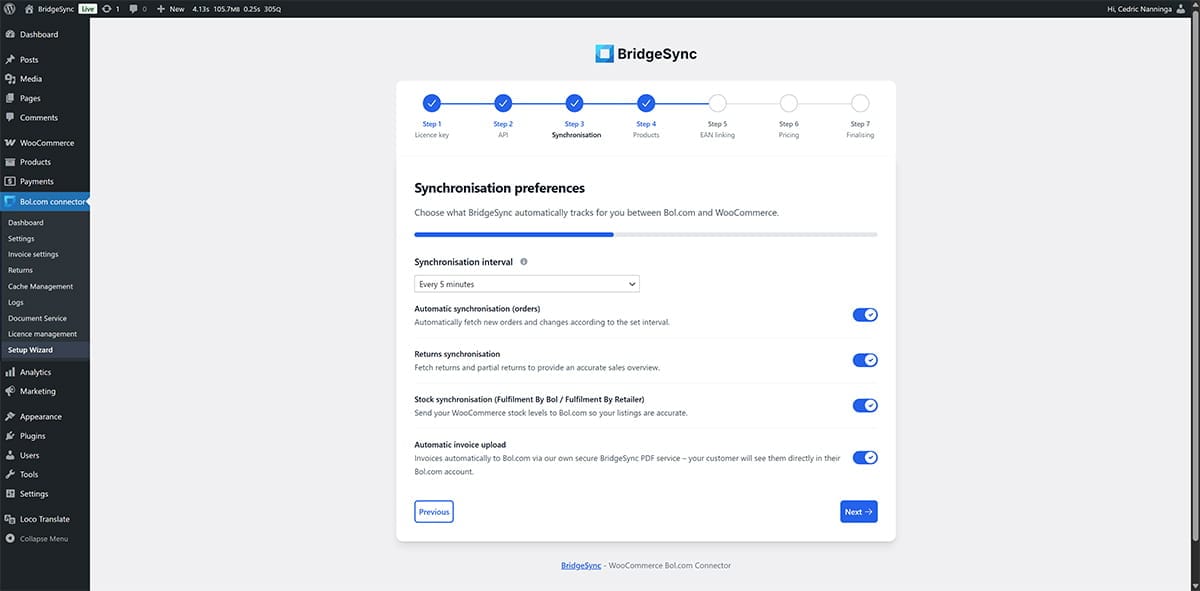
Setup Wizard for bol.com Connector
The wizard will guide you through the installation step-by-step.
Validate your license key
Enter your BridgeSync license key to activate the connector.
Real-time validation confirms whether the key is active and available.
Clear error messages help you resolve invalid or expired licenses quickly.
Connect your bol.com API
Add your Client ID, Client Secret, and Retailer ID.
Secure token handling verifies the connection before you continue.
Switch between sandbox and live credentials whenever you need to test safely.
Configure synchronization preferences
Choose which data to sync, including products, prices, stock, orders, and invoices.
Set schedules and define which product statuses may be published.
Define priority rules for handling conflicts between WooCommerce and bol.com.
Configure publishing settings
Map WooCommerce categories to the correct bol.com categories.
Decide whether products are published immediately or reviewed first.
Apply margin and pricing rules based on your WooCommerce catalog.
Set up shipping and order handling
Configure your shipping workflow for carriers or bol.com fulfillment.
Send track & trace updates automatically where supported.
Connect providers such as MyParcel and Sendcloud to streamline dispatch.
Run your first synchronization
Test the connection before you go live.
Review the synchronization results in the dashboard.
Confirm that products, stock, and orders are flowing as expected.
Security and error handling
Built with strict security measures and smart validations.
Built-in protection
Nonce and CSRF validation are implemented for enhanced security.
Forms use AJAX
All processes operate in real-time for a seamless experience.
Licence checks are automatic.
This prevents misuse and invalid activations.
Safe to resume
Pause setup whenever you need to and continue later without losing your configuration.
Modern technologies
The wizard uses modern techniques for an optimal, fast, and intuitive experience.
Intuitive interface
A responsive UI, modern front-end patterns, and AJAX keep the setup flow fast and easy to follow.
Transparent logging
Clear WordPress logs make troubleshooting faster and simplify support when you need help.
Progress is automatically saved throughout setup.
You can pause whenever you like and resume later without losing any data.
Summary
The BridgeSync Setup Wizard helps you get started quickly and safely with all three products. You can activate, complete setup in just a few minutes, and be ready to run your store smoothly.
Fast setup
Ready in minutes.
Secure
It has robust security measures and validations.
Easy to use
Clear guidance and concise messages.
Flexible
Pause the setup and resume without losing your progress.